Gantt to PowerPoint

From schedule to stakeholder-ready slides

Build and maintain the delivery schedule in FlexiGantt, then turn it into a roadmap and editable PowerPoint slides for stakeholder updates.

Download FlexiGantt
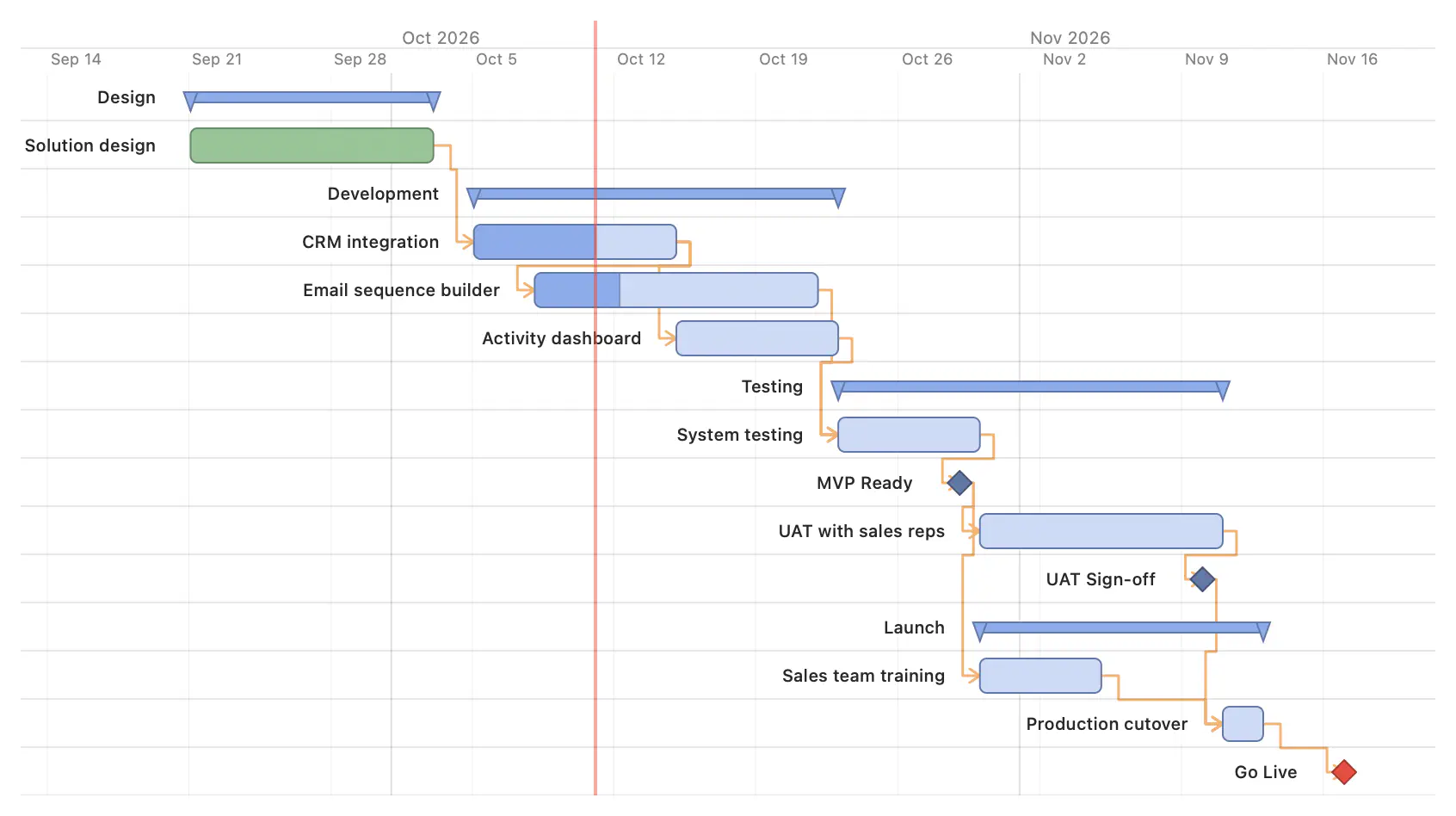
Schedule to presentationDependencies, dates, and milestones stay in the working plan. Roadmap views and PowerPoint exports are produced from the same schedule.
FlexiGantt detailed Gantt plan with tasks grouped into Design, Development, Testing, and Launch, dependency links, and milestones ending at Go Live
Maintain the schedule once. Present it at the level of detail the conversation requires.
From delivery schedule to stakeholder update
Detailed Plandependencies, dates, milestones
Roadmapphases and key milestones
PowerPointeditable presentation

What the plan makes visible

Keep one plan at every level of detail

Maintain the schedule once

Keep dependencies, dates, progress, and milestones in the working plan instead of maintaining a second set of dates for presentations.

Change the view, not the plan

Use a detailed Gantt view for the team, a roadmap view for the wider group, and a milestone view when the conversation is about commitments.

Present it in your own template

Export an editable PowerPoint roadmap, apply your company template, and adjust the slide without rebuilding the schedule by hand.

Different levels of detail

Detailed Plan → Roadmap → PowerPoint

Move from the working schedule to a stakeholder view without maintaining a separate set of dates in presentation slides.
FlexiGantt detailed Gantt plan with tasks grouped into Design, Development, Testing, and Launch, dependency links, and milestones ending at Go Live
Detailed Plan: work with tasks, dependencies, milestones, and calculated dates.
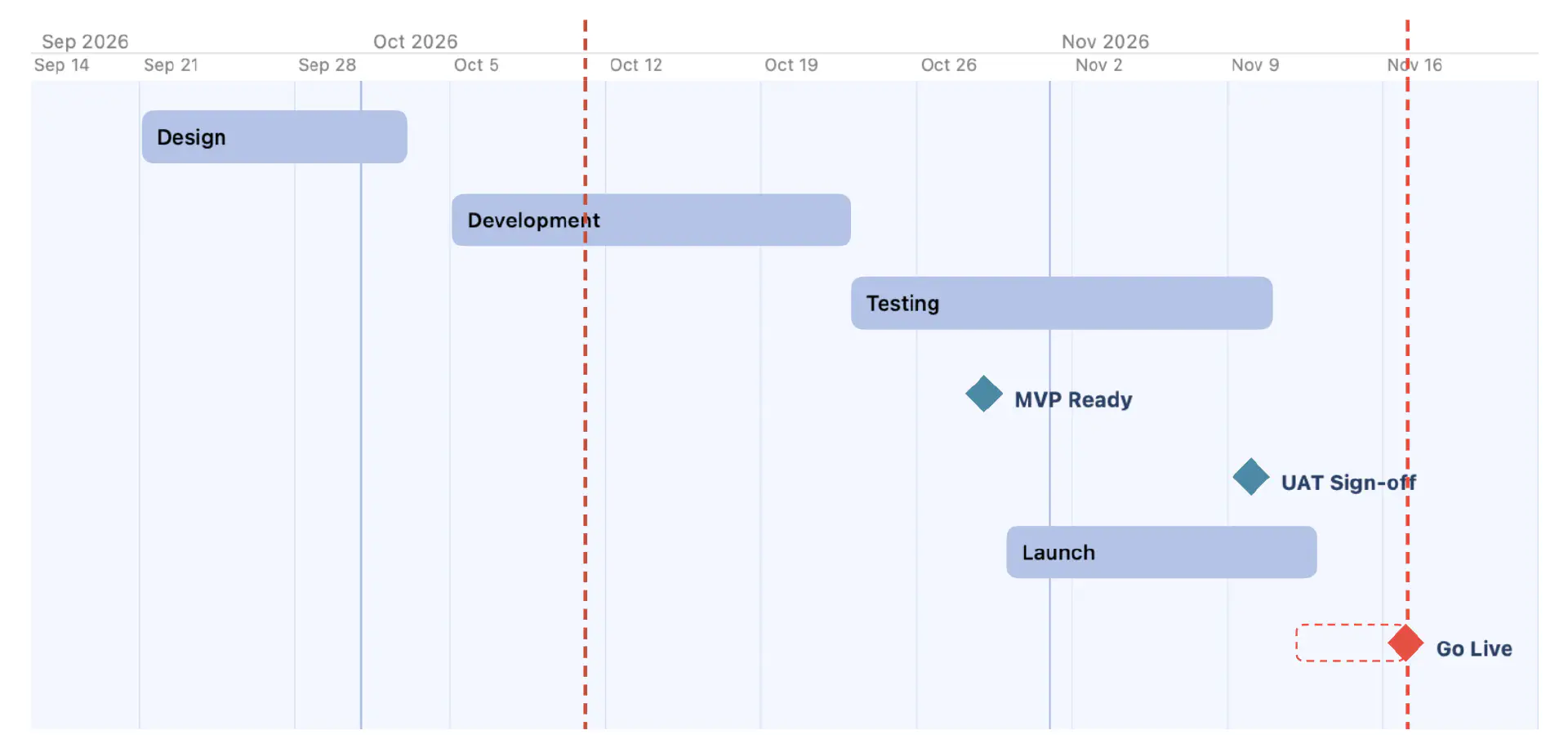
FlexiGantt roadmap slide showing only the four phases and three key milestones, with today and the Go Live deadline marked
Roadmap: the same plan reduced to the phases and milestones the audience needs.
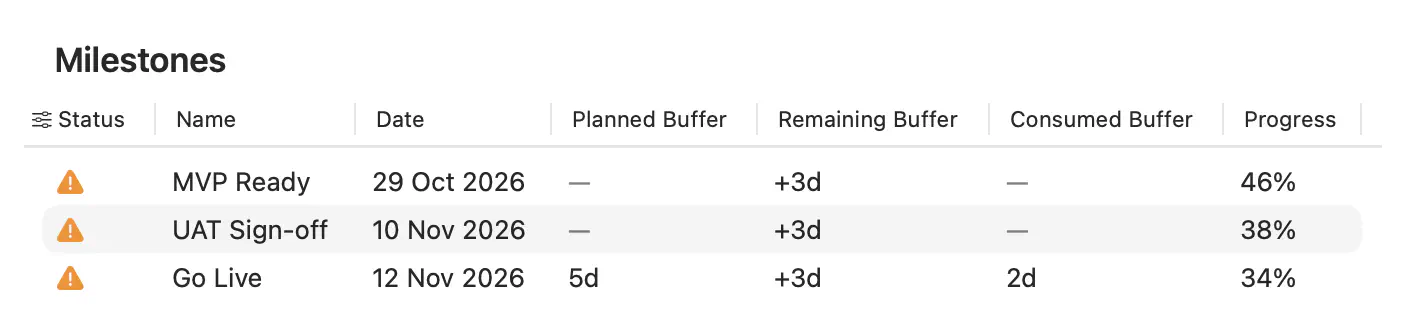
FlexiGantt Milestones table showing forecast dates and remaining buffer for MVP Ready, UAT Sign-off, and Go Live
Milestones: check forecast dates and remaining buffer before presenting the update.

Keep the schedule and the presentation aligned

Download FlexiGantt and generate stakeholder roadmaps from the delivery schedule you maintain.

Download FlexiGantt