Critical path and float
See the chain of work determining your finish date—and how long other tasks can move without delaying it.
FlexiGantt for Mac, works offline
A classical project planning with milestones, dependencies and gantt charts for Mac and iPad
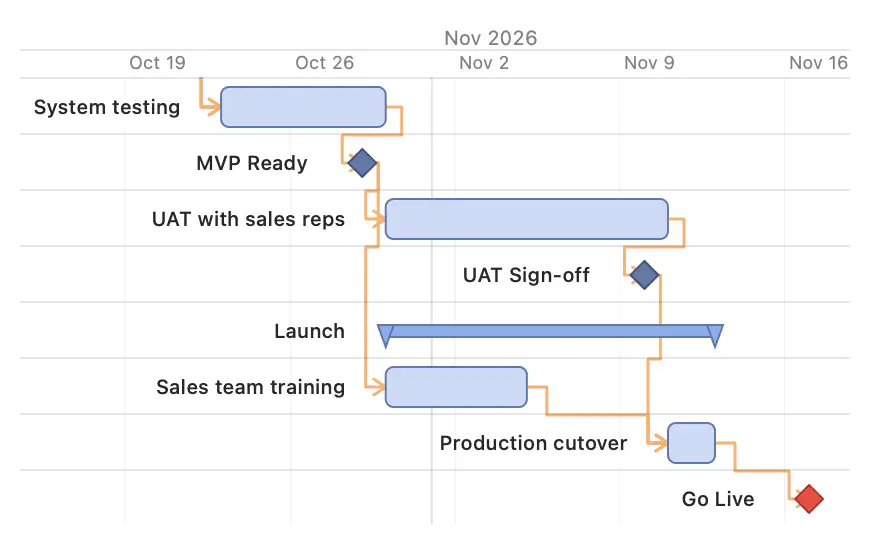
Plan against the consequence
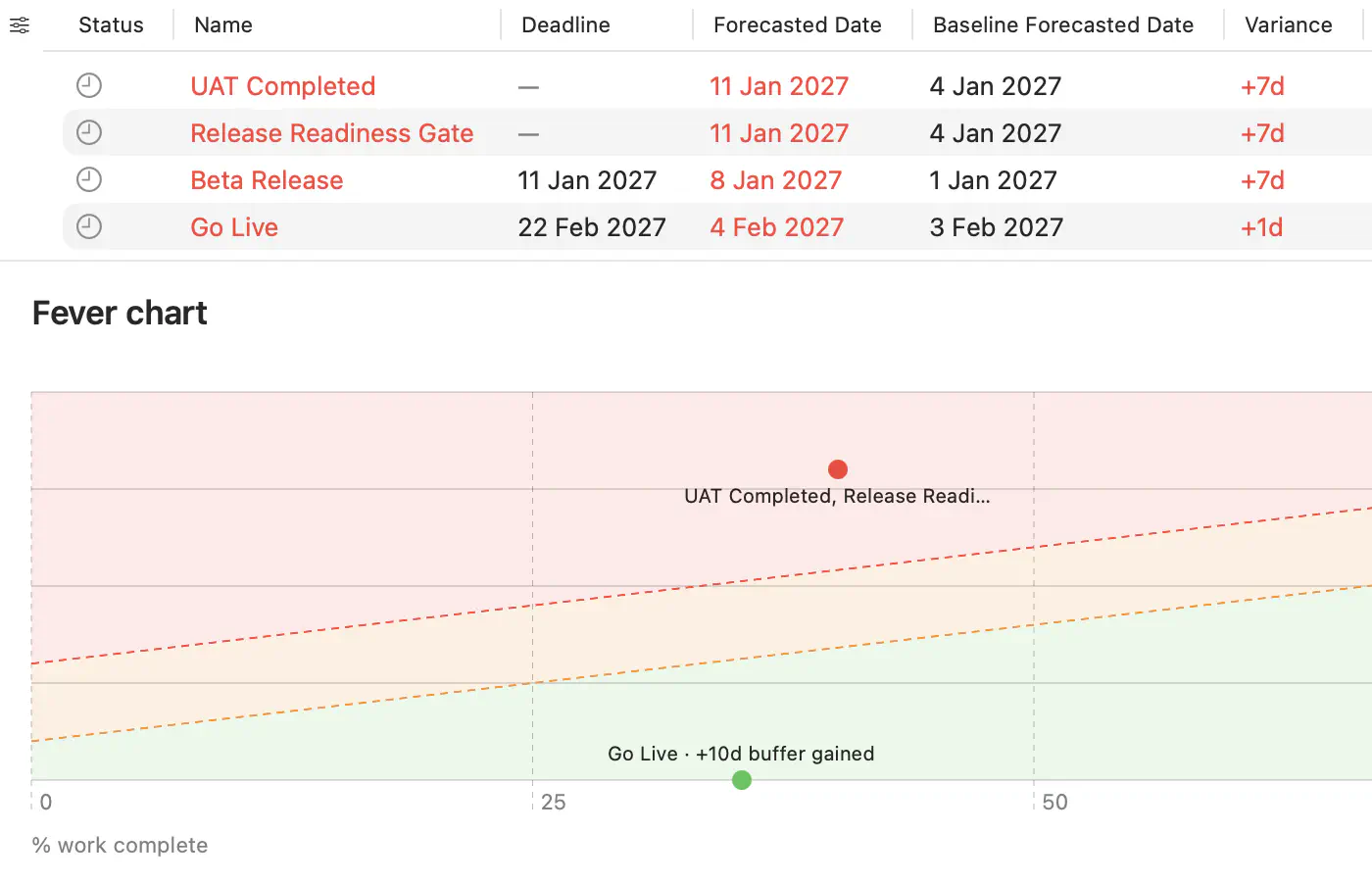
From schedule to steering deck
Or ask your AI assistant to export the roadmap through the local MCP server.
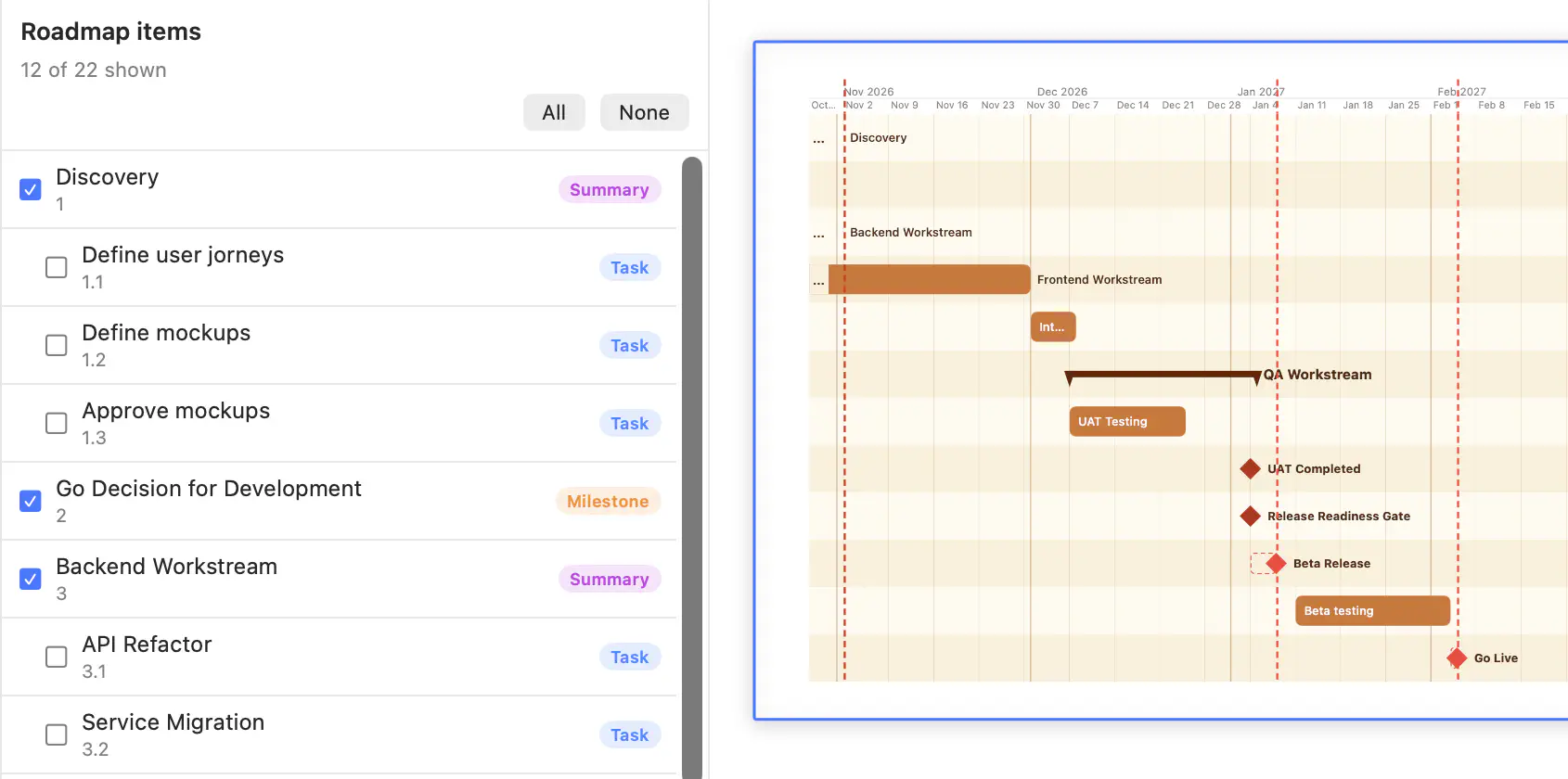
Built for delivery planning
See the chain of work determining your finish date—and how long other tasks can move without delaying it.
See how many working days remain before each committed milestone is at risk, and watch that margin change as the schedule moves.
Model approvals, vendor deliveries, environment readiness, and other gates that depend on several prerequisites. See which prerequisite is holding each gate back.
When progress has not been updated, affected tasks are marked stale. The warning carries through to every milestone that depends on them, so an outdated forecast cannot look healthy.
Every edit is recorded in plain language. Review what changed and undo any edit when you need to.
Export the schedule as an editable roadmap slide. Apply your company template, adjust the layout, and present it without rebuilding the plan in PowerPoint.
Connect a compatible MCP client to FlexiGantt locally to inspect schedules, trace dependencies, analyze milestone dates, and export results.
For the people carrying the commitment
Coordinates a launch across several teams, vendors, or workstreams and needs a reliable answer when someone asks, “If this slips by a week, does Go Live move?”
Runs delivery across clients and needs a portable project plan that works offline and does not depend on access to client systems.
Coordinates major activities and dependencies across a program or workstream and needs to see how changes affect committed milestones and the overall Go Live date.
Plan the date. See the path.
Works offline. Local MCP integration. Give feedback as you use it.
Download on the Mac App Store